Our assessment
Private Internet Access is a candidate for buyers who want more control over which desktop apps use a VPN, especially on Linux or a supported Mac setup. Its current desktop guide describes rules that either bypass the tunnel or require selected apps to have a VPN connection. Windows and Linux also have documented DNS-rule choices.
That makes PIA worth considering for a specific routing need, but does not establish that it is the easiest app to use or the fastest VPN. On price, its deal costs $46.54 for 26 months, less upfront than the NordVPN, Surfshark and PrivateVPN quotes we compare it with, but the deal page doesn’t say what the plan renews at each year.
This review relies on provider documentation, pricing sources and policy text. The VPN Deal has not performed hands-on app, speed, leak or streaming tests. We identify documentation conflicts openly rather than turn an uncertain feature into an affirmative comparison-table check mark.
Initial cost and recurring payment
 VPN deal
- Today $46.54 paid upfront for 26 months
- After 26 months Renews yearly amount not shown on the deal page; confirm it at checkout
USD, before tax · checked 13 October 2026
Opens PIA’s site · 30-day refund policy; eligibility and purchase-channel rules apply
No code to copy. The quoted price needs no code: the button opens PIA’s current offer.
Monthly equivalent: $1.79 over the first 26 months, paid as one upfront amount.
Fit check: Unlimited devices at once. App split tunneling on Windows, Mac, Linux and Android; not verified on iPhone.
The offer behind this link can differ from the price we checked, and your total can change with your country, tax and add-ons. Sources for this price
On 13 October 2026, the deal our offer button opens cost $46.54 upfront for 26 months, sold as two years plus two months. $46.54 ÷ 26 = $1.79, the monthly equivalent PIA advertises. After the first term the plan renews yearly, but the deal page doesn’t print the renewal amount, so this review leaves it blank rather than estimate it. Look for the renewal in the checkout summary before paying, and ask PIA support if it isn’t shown.
PIA’s public plans page showed different offers the same day: three years plus three months at $1.89 a month, renewing at $73.71 every three years (its first payment wasn’t printed), and a 1-year plan billed $47.88 that renews at $47.88. That 1-year renewal belongs to a separate plan and doesn’t tell you what the deal renews at. Localized currencies and campaigns mean the live checkout can differ from these USD figures, and we don’t relabel one currency as another.
For a short period of use, compare an actual monthly plan against the full first-term bill. PIA’s monthly plan costs $11.95, so four months of it ($47.80) already cost more than the 26-month deal, while a single month costs less today. The deal page’s 6-month plan costs $45.00, only $1.54 less than the 26-month deal. Surfshark Starter asks for more upfront, $67.23 for 27 months, but states its renewal: $79.00 a year. The PIA coupon guide and cheap VPN comparison explain these trade-offs in detail.
Devices and supported apps
PIA lists unlimited simultaneous connections and apps for common desktop and mobile systems. Its download navigation also lists Android TV and Apple TV, plus browser extensions. Compatible routers can extend coverage to devices that lack a suitable native app.
Unlimited connections remain subject to account and usage terms. A connection allowance is not a promise of identical features across systems, unlimited internet speed or permission to resell the subscription. A browser extension likewise does not establish VPN coverage for every other program on the device.
If you plan to use a router, confirm that your model supports a VPN client and a protocol supported by the provider’s current instructions. Router setup does not automatically reproduce the desktop app’s per-process routing controls. The router guide explains the different scopes.
Desktop app rules and DNS choices
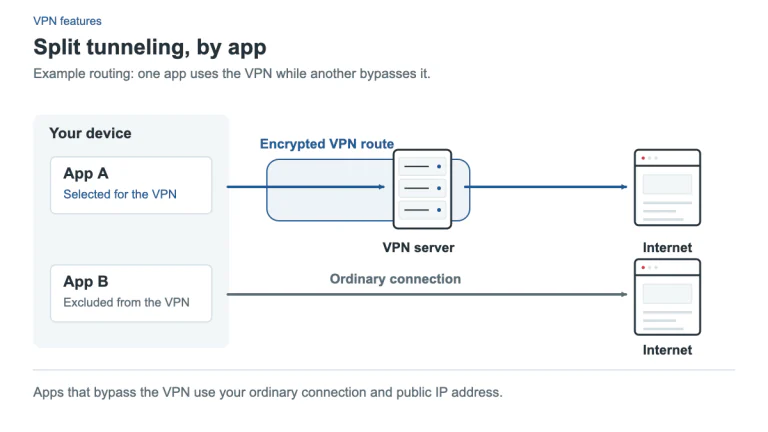
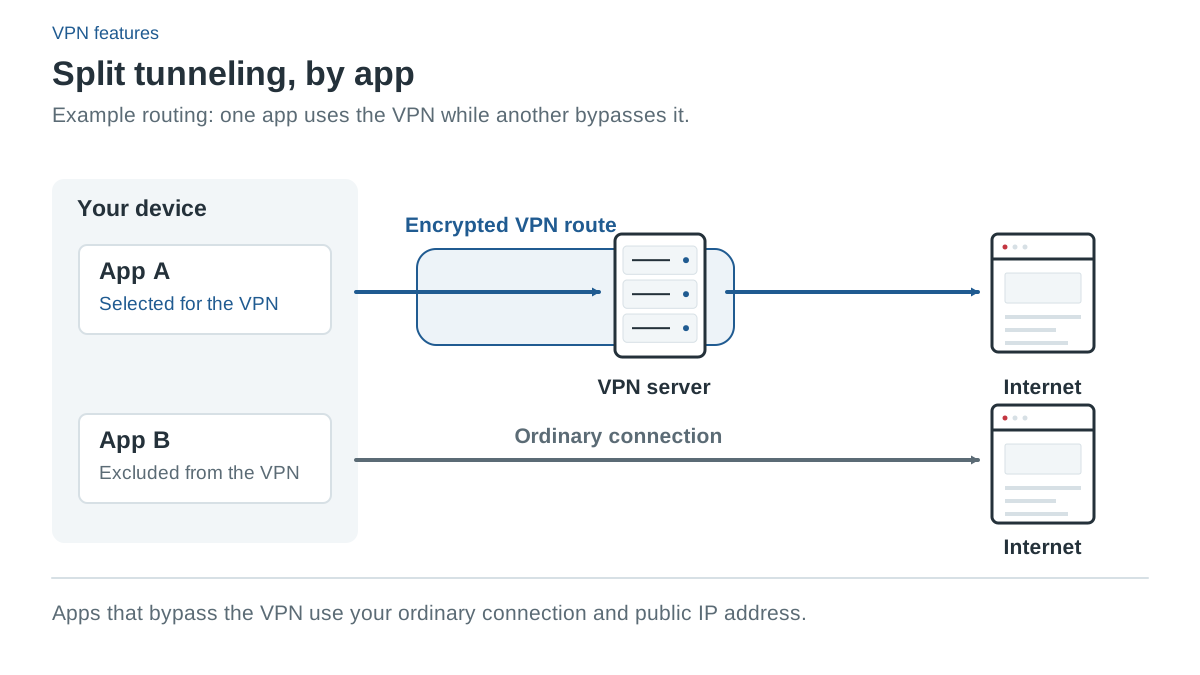
PIA’s current desktop support covers Windows, macOS and Linux. App rules can bypass the VPN or require VPN connectivity, while IP and subnet rules are bypass rules. Default behavior for other apps is configurable. This is more specific than a vague claim that “split tunneling is supported.”
Windows and Linux can have DNS follow the app rules or use the app’s configured resolver. The same DNS-rule control is not documented for macOS. An excluded app may have a direct data route but different DNS behavior, so read the current settings before assuming that both paths behave identically.
PIA’s older split-tunneling marketing FAQ states a Mac restriction that conflicts with its newer desktop support and its Mac re-release announcement. The current workflow describes approving the PIA Split Tunnel network extension. Follow the current support instructions for your installed version rather than an old blanket compatibility statement.
Android has documented per-app exclusions. On iOS, provider blog statements about app splitting conflict with the detailed current settings guide. We have not tested the app to resolve that conflict, so iOS app split tunneling is unverified in this review. If it is essential, ask support to confirm the current app capability before paying.
Kill switches and manual disconnection
The desktop VPN Kill Switch covers loss of the VPN connection. Advanced Kill Switch instead requires a VPN even when it has been turned off; Windows support says the advanced protection can continue with the app closed. PIA’s “Only VPN” split-tunnel rule is another way to require selected apps to have a tunnel connection.
On Android, setup uses the operating system’s Always-on VPN and Block connections without VPN controls. On iOS, PIA’s setup and settings guides say kill-switch protection is enabled by default for unexpected disconnect and reconnection, but does not cover a manual disconnect. Those are different behaviors despite sharing the same general feature name.
Read the kill-switch guide and check the current app before relying on it for sensitive traffic. We have not verified event-by-event behavior, IPv6 routing or leak protection in a controlled test here.
Refund policy and cancellation
PIA’s current terms allow refund requests within 30 days of an initial purchase and/or renewal, subject to eligibility and verification conditions. Some marketing statements are narrower: the deal page offers its money-back guarantee “for new users”, and some pricing footers say new subscribers only. We give priority to explaining the current terms and the conflict rather than promising a universal outcome.
The support eligibility guide distinguishes website purchases from Apple and Google Play transactions and excludes gift-card and deal-site purchases from the direct provider guarantee. For a request, use the registered account email and order information with PIA support. Auto-renewal cancellation in the Client Control Panel is separate and retains access through the paid term.
When another option fits better
Surfshark is worth checking for documented iOS website exclusions and a renewal it states in advance: Starter costs $67.23 for 27 months, then $79.00 a year before tax. NordVPN may fit a buyer who wants its particular Windows App Kill Switch or app ecosystem and needs no more than 10 active connections.
PIA’s strengths in this review are documented routing choices and a small first bill for a buyer who will use most of the 26-month term. Check its renewal amount at checkout. Its speed, streaming access and everyday reliability on your own devices still need to be established under the applicable purchase conditions.
Common questions
How much does Private Internet Access cost?
On 13 October 2026, the deal our offer button opens cost $46.54 upfront for 26 months, a $1.79 monthly equivalent. PIA’s monthly plan costs $11.95. Your country, tax and any add-ons can change the checkout total.
What does PIA renew at?
The deal renews yearly, but its page doesn’t show the amount, so we haven’t verified it. The $47.88 yearly renewal on PIA’s public plans page belongs to a separate 1-year plan. Check the checkout summary before paying and ask PIA support if no amount appears.
How many devices can use PIA at once?
PIA lists unlimited simultaneous connections, subject to its account and usage terms. That removes a device-count limit, but features still differ by operating system, so check the Mac, Linux, Android or iPhone details above for each device you plan to use.
Does PIA split tunneling work on iPhone?
It isn’t verified. PIA’s iOS settings guide shows no split-tunnel control, while a PIA blog post describes iOS per-app settings. If you need it, confirm with PIA support or the current app before paying.
Sources and check date
Official sources checked 13 October 2026. Provider terms, app releases and localized offers can change. Documented features are not independent test results.
- PIA: Public plans on the buy-VPN page: www.privateinternetaccess.com/buy-vpn-online
- PIA: Android per-app settings
- PIA: Older split-tunneling FAQ (Mac restriction)
- PIA: macOS split tunneling re-release
- PIA: Blog post describing iOS per-app settings
- PIA: iOS settings and manual disconnect
- PIA: iOS setup and kill switch default
- PIA: Windows kill switch settings
- PIA: Kill switch on Android
- PIA: How to request a refund
- Surfshark: Pricing (affiliate link)
- Surfshark: Billing and renewal prices
- Surfshark: Bypasser platform coverage
- NordVPN: US plans, prices and renewals (affiliate link)
- NordVPN: Kill switch by platform
- PrivateVPN: Pricing and renewal (choose USD) (affiliate link)
- PIA: Deal page our offer button opens: 2 years + 2 months (affiliate link)
- PIA: Public plans and renewals: www.privateinternetaccess.com/vpn-features/no-logs-vpn
- PIA: Supported apps
- PIA: Desktop split tunneling
- PIA: Desktop kill switch
- PIA: Refund terms
- PIA: Refund eligibility
- PIA: Cancel auto-renewal