What a DNS test checks
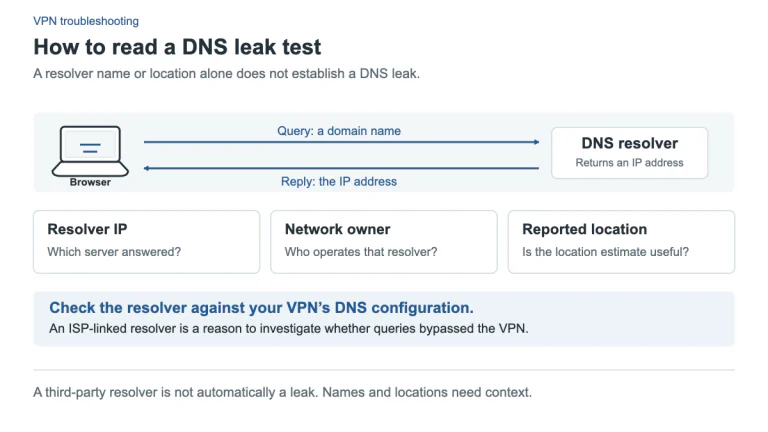
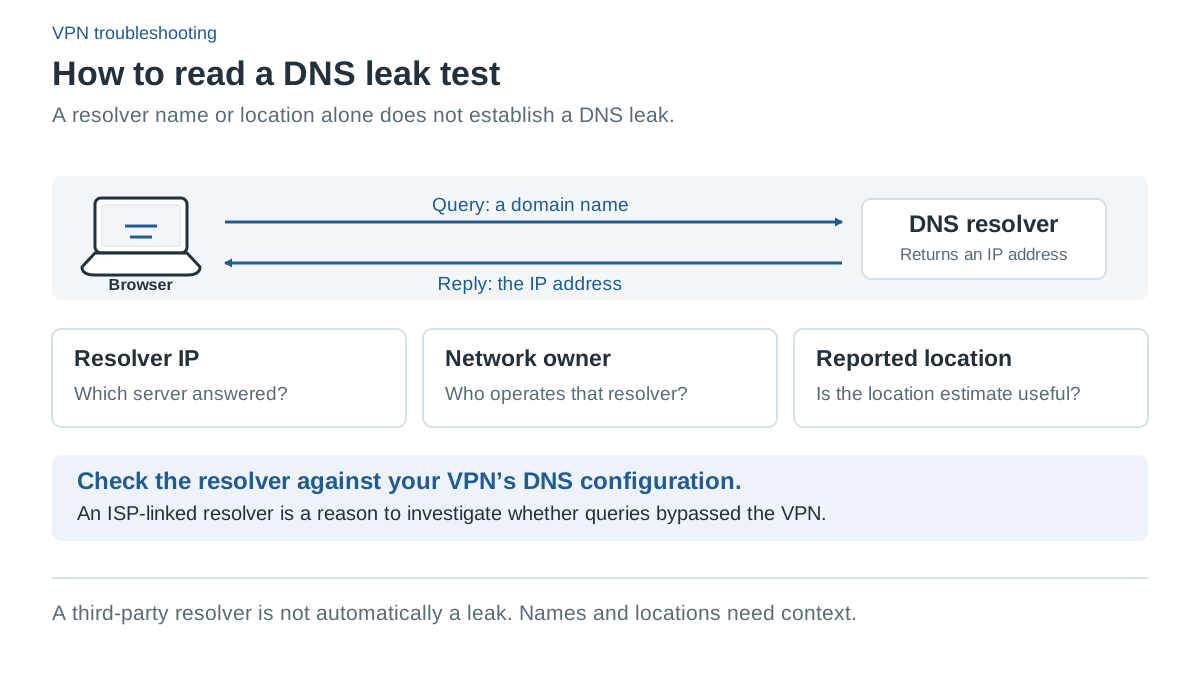
DNS helps a device find the address associated with a domain name. A browser-based DNS test triggers lookups for test domains and reports the resolvers observed by that service. It provides a view of the tested browser’s lookup behavior at that moment, not a complete audit of every app on the device.
A DNS leak concern arises when lookups take an unintended path outside the protection or resolver setup you intended. To interpret a result, first define that intention: full-device VPN routing, a browser extension, an app exclusion or a browser-specific encrypted DNS provider can create different legitimate observations.
The VPN Deal does not operate a DNS measurement service. The external test link below runs on another website, with its own data handling. This guide contains no fabricated test result or claim that your connection passed.
A basic check using ordinary browsing
- Record your intended configuration: VPN app and platform, full-tunnel or split mode, and any browser encrypted DNS setting.
- Open DNSLeakTest.com and run the test while the VPN is connected.
- Note the resolver addresses and organizations shown, along with the time and VPN location. Do not share identifying results publicly if you do not want to disclose them.
- Compare the result with the provider’s documented resolver behavior. If you used a deliberate exception or a separate browser resolver, account for it.
- If a result appears unintended, review the current settings and support guidance, make one supported change and test again.
A baseline without the VPN can help identify your ordinary resolver, but running that baseline uses a direct route. Use only non-sensitive test browsing if you choose to do it. This is not a necessary step for every situation, and it should not be confused with using sensitive apps while deliberately disconnecting protection.
Why a resolver name may look unexpected
Resolver organization labels and approximate locations can differ from the VPN exit address. A provider may use third-party infrastructure, and location databases may be inaccurate. A name or country alone does not prove that a query traveled outside the tunnel.
A browser may also send encrypted DNS to its own selected provider. Mozilla’s current Firefox documentation describes multiple DNS-over-HTTPS protection modes and notes interactions with VPN and network policies. The browser’s resolver choice can therefore differ from the operating system’s default DNS setup.
The right question is whether the observed resolver and route match the protection you intended. If you expected the VPN provider’s DNS but see your normal internet provider’s resolver, investigate the current configuration and ask support if needed. Avoid turning every unfamiliar label into a definitive leak diagnosis.
Split tunneling changes the expected result
A browser deliberately excluded from the VPN may use a direct connection. Testing it does not prove the applications inside the tunnel follow the same route. Conversely, a browser inside the VPN does not establish that excluded apps also use the tunnel.
DNS and data routes can also be controlled separately. PIA documents DNS choices tied to app rules on Windows and Linux. NordVPN acknowledges that some excluded Windows apps can retain its DNS. A direct app route can therefore behave differently from a simplistic “VPN on or off” expectation.
Our split-tunneling guide explains the different app, site and network rule types. Record the exact rule rather than changing several settings at once to make a test display look reassuring.
What a successful-looking test cannot prove
A browser DNS test does not certify IPv6 handling, every application’s route, protection after a device reboot or kill-switch behavior during a tunnel failure. It also cannot prove a provider’s logging practices, the safety of a download or anonymity while you are signed in to a website.
A test with the intended resolver is useful evidence for that browser at that time. It is not a guarantee that no traffic can ever take another path. Keep the difference between an observation and a broader security claim clear.
When to contact the provider
Contact support if results contradict the exact platform guide or remain unexplained after checking your VPN and browser settings. Provide the app version, OS, selected route and resolver configuration privately through the provider’s official support channel.
We have not performed provider leak testing for this website. Our reviews assess documented controls and clearly state their limits; they should not be treated as certification of your particular network setup.
Sources and check date
Official sources checked 12 October 2026. Provider terms, app releases and localized offers can change. Documented features are not independent test results.