What a VPN changes
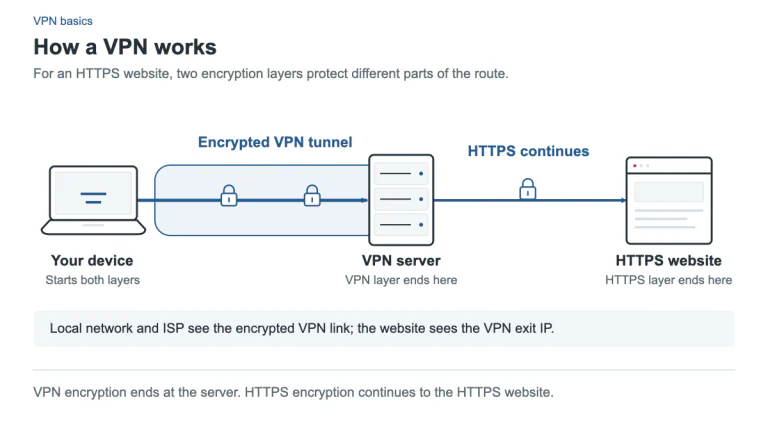
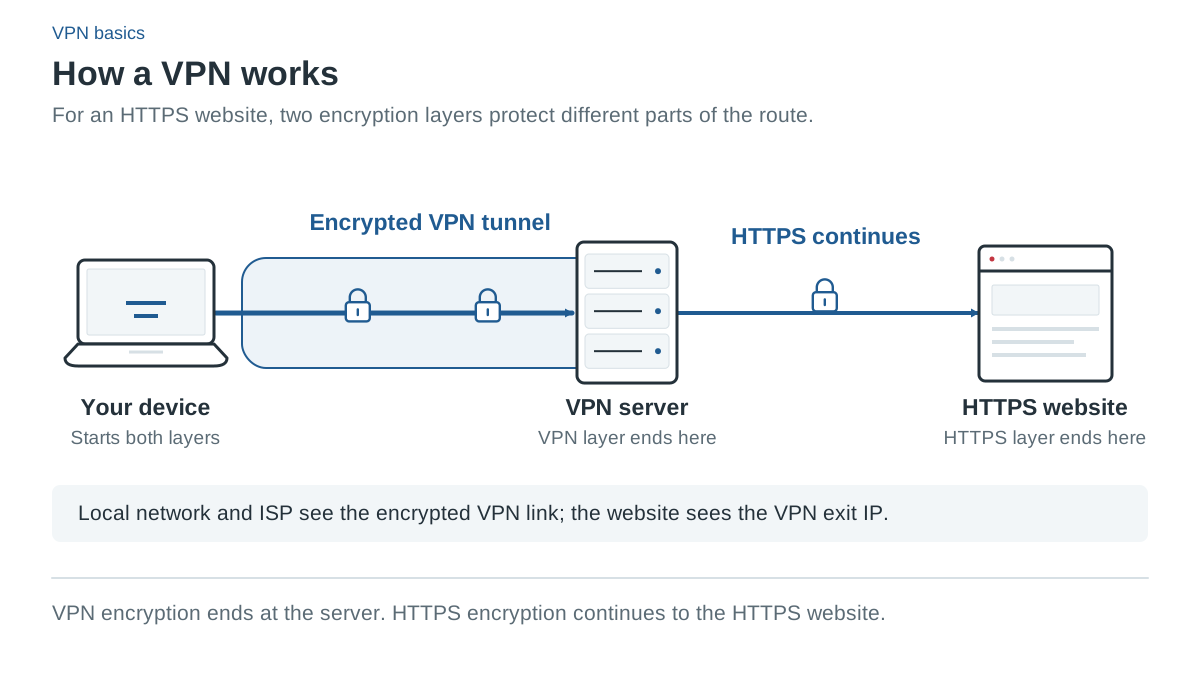
A virtual private network creates a connection between your device and a VPN server. For traffic routed through that connection, the VPN adds an encrypted tunnel across the network between those endpoints. The website or service generally receives the connection from the VPN’s exit address rather than directly from your home or mobile connection.
That changes the route and who can observe parts of the connection. The local network and internet provider can see that you connect to a VPN endpoint, but the tunnel hides its covered traffic contents from them. The VPN provider becomes an important party to trust because it handles the tunnel’s exit and may observe connection metadata.
The tunnel ends at the VPN server. Protection beyond that point depends on the application’s own encryption, such as HTTPS for websites. A VPN should not be described as one encrypted tunnel that automatically extends through the provider to every website.
HTTPS already encrypts website content
Most modern websites use HTTPS. It encrypts the web connection between the browser and the website, independently of whether you use a VPN. It protects content such as the page data and submitted information in transit, while some connection metadata can remain observable.
Using a VPN adds another layer and changes the network route; it does not mean ordinary HTTPS browsing was entirely unencrypted before. Conversely, a VPN does not transform an unencrypted HTTP website into an end-to-end encrypted website. Continue using HTTPS and do not bypass certificate warnings because a VPN app says “connected.”
This distinction also explains why a VPN is not a universal cure for public Wi-Fi. It can reduce exposure of covered traffic to the local network, but it cannot make a malicious download safe, prove that a website is honest or prevent you from entering a password into a convincing phishing page.
What changing an IP address does not change
A website can identify a logged-in account regardless of whether its network connection arrives from a VPN address. Cookies, browser identifiers and information you provide can also connect activity. A new IP address is therefore not the same as anonymity.
A VPN also cannot remove information already saved by a website or stop tracking inside an authenticated app merely by changing the route. Private browsing and a VPN solve different problems: a private window limits some local browsing records, while a VPN affects covered network traffic. Neither makes every online interaction unidentifiable.
If your goal involves a high-risk personal situation, a generic commercial VPN recommendation is insufficient. The right setup depends on who might observe what and which services or devices you use. This buying guide does not establish an anonymity guarantee.
Full apps, extensions and routing exceptions
A full VPN app can route traffic for the device according to its operating-system configuration. A browser extension has a narrower scope and should not be assumed to cover every program. A VPN on a compatible router covers traffic that actually passes through that router’s configured route.
Split tunneling deliberately creates exceptions. You might send one desktop app directly to the internet while other traffic uses the tunnel, or route only selected apps through it. The direct traffic lacks VPN tunnel protection even though HTTPS may still encrypt its web connection.
Feature coverage varies by platform. NordVPN documents Windows/Android app splitting and a different Linux Allowlist. Surfshark documents supported Mac app routing and iOS website exclusions. PIA documents desktop app rules on Windows, Mac and Linux. PureVPN documents app rules on Windows, Android, Android TV and Fire TV, while PrivateVPN’s apps have no built-in split tunneling. Read the split-tunneling guide before assuming that a shared feature name means identical behavior.
What happens when the VPN disconnects?
Without a configured blocking safeguard, traffic may return to a direct route when the tunnel stops, depending on the system and app. A kill switch is intended to control that behavior, but its scope varies: an unexpected drop, a manual disconnect and an app exit can trigger different results.
Some modes block the network whenever the VPN is off, while others focus on a lost connection. NordVPN also has a Windows mode that closes selected programs. The kill-switch guide explains why you should check exact platform behavior rather than relying on a simple “supported” badge.
When a VPN can be useful
A VPN can be useful when you want covered traffic carried through a trusted tunnel across a local network, need a different network exit address, or have a specific routing requirement supported by the app. Workplace remote-access VPNs can also connect authorized users to organizational resources, which is a different purpose from buying a consumer subscription.
It may be less useful if your only goal is encrypting an HTTPS website’s content, removing all tracking, or protecting a device from every form of malware. Those goals need different controls. Keep systems updated, use strong account authentication and assess website and download trust separately.
How to choose a consumer VPN
Start with the devices and features you need, the provider’s policies and the subscription bill. A “no-logs” marketing phrase is a claim to assess, not proof that no information can ever exist. Read what the policy actually covers and distinguish a provider’s statement from an independent evaluation.
Then check platform support, simultaneous connections, routing and disconnect behavior. Device allowances differ even among the five providers covered here: NordVPN, PureVPN and PrivateVPN allow 10 simultaneous devices, while Surfshark and PIA list unlimited simultaneous devices. Compare the full initial payment and renewal terms. Our best VPN shortlist explains documented differences between selected providers and clearly states that we have not run independent performance tests.
Sources and check date
Official sources checked 13 October 2026. Provider terms, app releases and localized offers can change. Documented features are not independent test results.
- VPN overview
- HTTPS and Tor explained
- NordVPN: Split tunneling
- NordVPN: Kill switch by platform
- NordVPN: Additional terms (simultaneous connections)
- Surfshark: Bypasser platform coverage
- Surfshark: Unlimited devices
- PIA: Desktop split tunneling
- PureVPN: Split tunneling platforms
- PureVPN: 10 devices
- PrivateVPN: Split tunneling (manual WireGuard)
- PrivateVPN: Terms (10 devices)